
AI in Video Editing: Speed and Quality in Premiere and DaVinci
Listen to this article5:07
Media7 speeds edits in Premiere and DaVinci with text-based cutting, Enhance Speech and Smart Color Matching. Final rhythm is still a human decision.
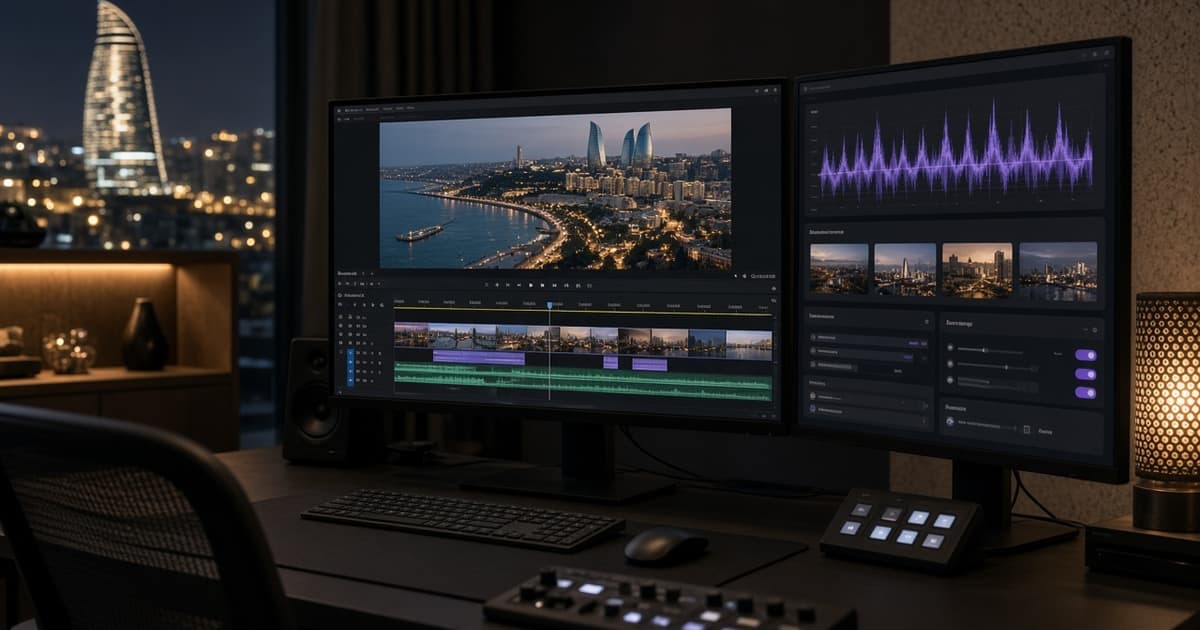
AI in the edit: short answer
Media7 uses AI tools in Adobe Premiere Pro and DaVinci Resolve to speed editing: text-based cutting, speech cleanup and colour matching. These tools shorten routine work, but final cut, pacing and story structure stay the editor’s call. The goal is not lower quality — it is the same standard in less time.
Text-based editing
On interview and corporate films with speech, AI builds a transcript. When the editor deletes redundant lines in the text, matching clips are cut on the timeline. That reduces hours of scrubbing. Media7 always checks the transcript: names, numbers and brand terms can be wrong. Automatic cutting without a clean transcript is risky.
Enhance Speech and audio cleanup
Location noise, air-conditioning hum and light reverb can be reduced with AI. Tools like Enhance Speech make dialogue more intelligible. Media7 treats this as a short cleanup, not a creative fix; heavy music and sound design stay separate. The final mix remains under an audio engineer or experienced editor. Goal, audience, must-have shots and delivery format should stay written in the brief. Media7 confirms these fields with the client before the shoot so set and edit share one reference.
Smart Color Matching and grade flow
Smart Color Matching and similar tools help pull clips from different cameras closer quickly. Media7 picks a reference frame first, then matches other clips toward it. That gives a rough alignment; the final grade is still finished by hand to the project style. In ads, brand colours are never fully trusted to an automatic tool. Technical spares — batteries, cards, filters and an offline copy — prevent stalls on field projects. The crew checks media during the day and passes status in a short written note.
Approximate time savings
Depending on the project, 20–40% time savings on routine steps is realistic: transcript, first cut, audio cleanup, rough colour. Creative decisions — rhythm, pauses, music sync — still need the same attention. Media7 does not tell clients “AI finishes everything in one click”; it says the technical base is ready faster, while the story is polished by people. Final delivery happens only after an internal review: does the message match the brief, are audio and colour stable, are subtitles and CTA clear. Revision rounds are agreed in advance too. Media7 keeps agreements in writing and sends a short status at each stage so set and edit follow one plan.
Where it helps most
Long interviews, event films, corporate reports, multi-cam presentations and short social cuts. On full CGI or complex VFX, AI edit tools stay assistive. In classic video production flows, AI editing speeds post, not the shoot plan. Media7 keeps agreements in writing and sends a short status at each stage so set and edit follow one plan. On shoot day the call sheet, shot list and backup plan share the same document logic, which cuts lost time.
Quality control
After every AI step a short check: is speech meaning intact, does the cut still breathe, does colour keep skin natural, are subtitles in sync. Without checks, speed replaces quality. Media7 runs this list before delivery and plans client notes as a separate round. In the edit, the brief CTA, language version and subtitle sync are checked again before delivery.
Practical checklist
On video-montajda-ai-premiere-davinci projects Media7 prepares a written agreement before the shoot: goal, must-have shots, no-go zones, delivery format and a backup plan. The list is filled with the client and kept as the shoot-day reference. Even small changes are written early. Final delivery criteria stay in the same document. If weather, access or power changes, the backup plan activates at once and the client gets a written note.
Frequently asked questions
Can AI and classic filming work together. Yes, Media7 often runs a hybrid model. Final quality always passes human review. Timeline depends on brief clarity: hours with a clear brief, days with a weak one. A written update is sent at each stage. On shoot day the call sheet, shot list and backup plan share the same document logic, which cuts lost time.
Next step
To start, send the brief, references and formats. Media7 returns a written proposal and plan. For estimates use the price calculator or contact. The team manages the process with Baku production experience.